Knowledge Check
Insert a knowledge check to review material or test student comprehension with multiple choice or multiple answer questions.
Instructions
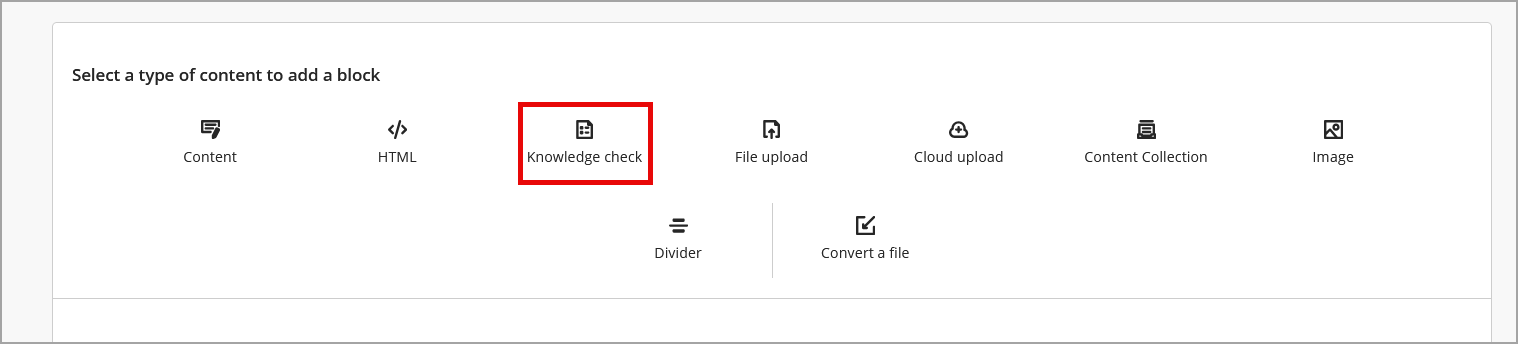
- Create a new or edit an existing document with course content. Click the plus icon (+) to add a new block. Choose Knowledge check.
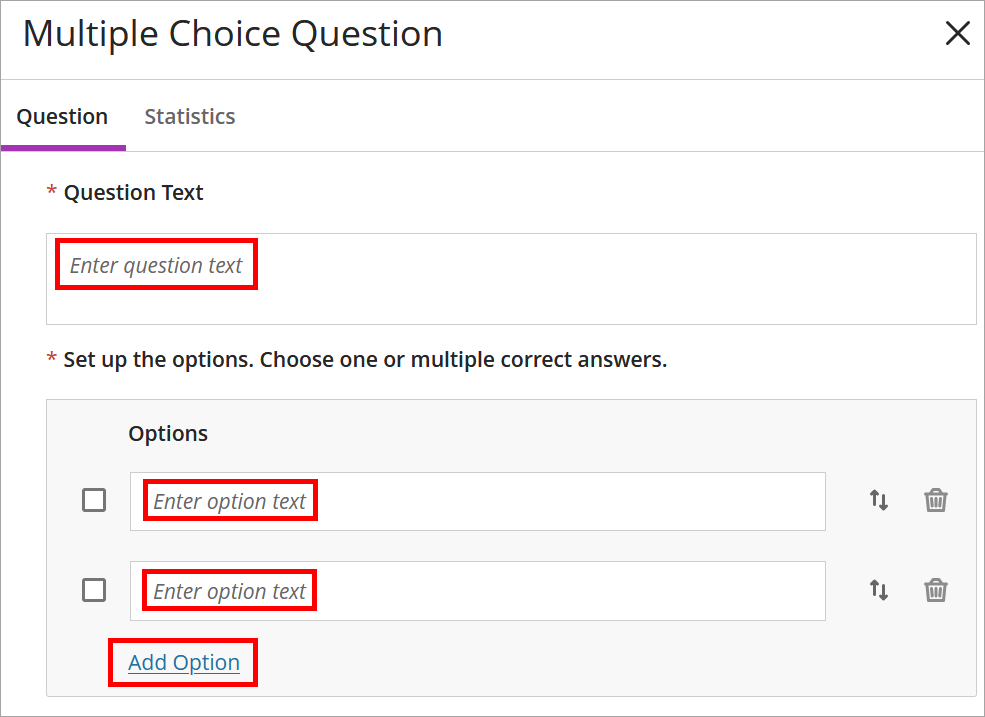
- Enter the question text and answer options. Click Add Option to enter additional answer options.
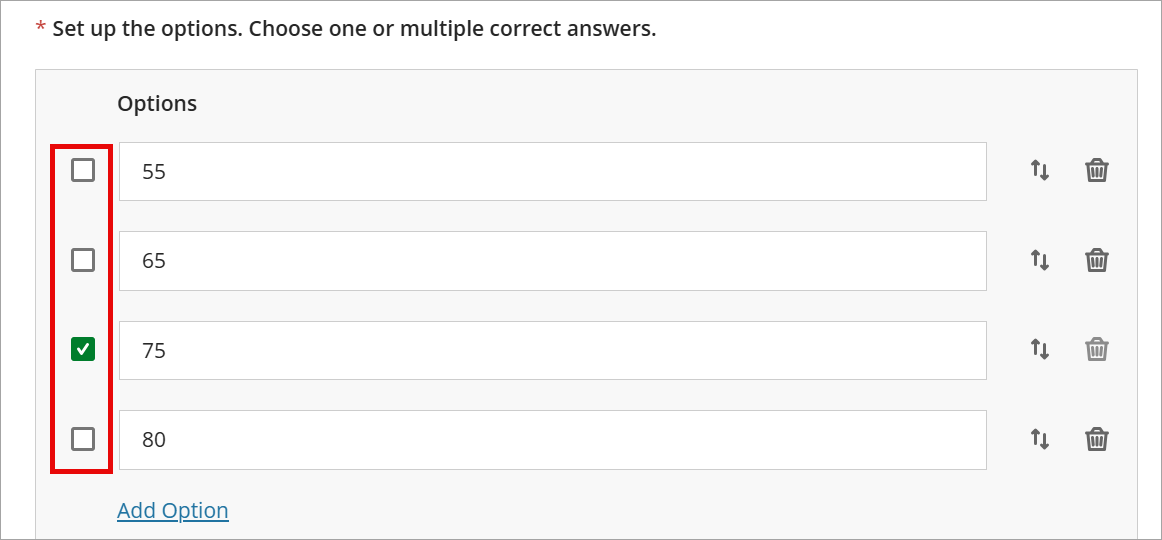
- Check the box(es) next to the correct answer(s).
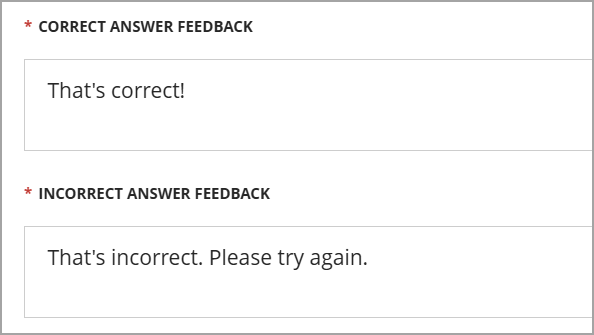
- Edit the correct answer and incorrect answer feedback.
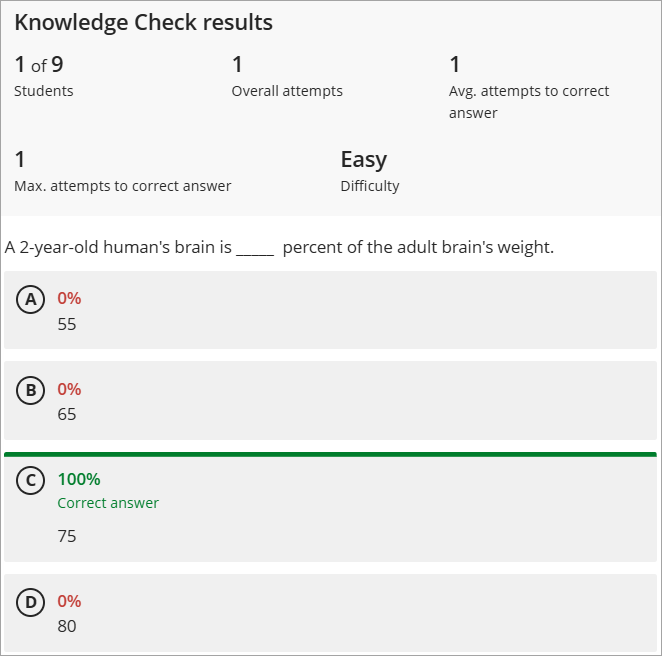
- Knowledge check results appear directly in the document. Instructors see overall class results. Students see their individual results only.
Note: Students have unlimited attempts for knowledge check questions.
IDT Tips for Knowledge Checks
- Include short explanations for correct and incorrect responses so students learn why an answer is right or wrong.
- Embed them directly after key concepts, videos, or readings to reinforce learning in the moment.
- Blackboard will soon release the option to Generate Knowledge Checks. Come back soon to learn more.